Thursday, 1 February 2018

The Windows XP ATM Machine Can Be Hacked


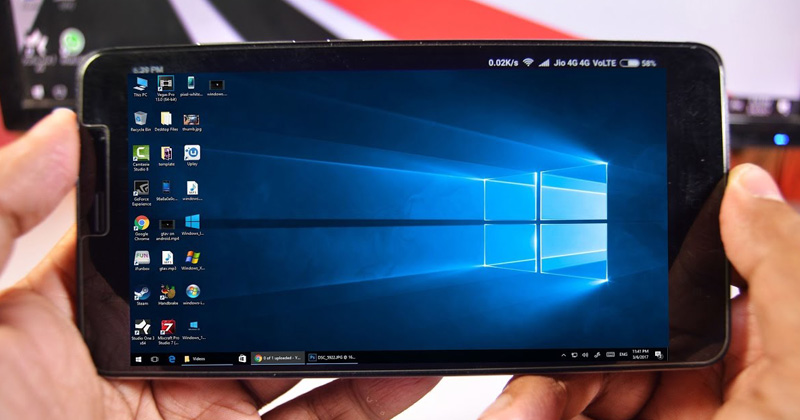
ATM Machine: There are many people who are using Microsoft operating system Windows XP. The Operating System is also used in many places and as well as on bulk of ATM machines. The ATM machines using the 16-year-old Windows XP can be hacked easily which is the biggest risk. The system is fixed with the OS and is not updated and it also not installed with security updates.

We all know that ATM machines need a high security to prevent any type of hacking. A user has managed to get the way to the user interface of the Windows XP OS. The reports from Softpedia, the Russian blogging platform Habrahabr reports that he has got the way to the user interface on the Windows XP operating system which is inserted on the ATM machine.
The full-screen lock limits the way to multiple elements of an ATM Operating System could be avoided by switching on the Sticky Keys. When the operator was expecting a call to be picked, out of indifference after that he pressed the SHIFT key on the ATM keyboard 5 times in a row, and with no doubt, the ATM immediately prompted about the sticky keys feature.
When the SHIFT key is pressed 5 times in a row the users can get the way for many Windows settings. The Taskbar and Start Menu were able to use Windows Operating system. Here hackers can easily hack many parts of the operating system. This has opened the way through which the wicked activities of hackers can hack the ATM.
The hackers can easily install software and change the boot script. The biggest issue throughout the news is that instead of knowing the Sberbank has not taken any strict action about it. The bank had agreed to the crisis fix for the issue, but, this Windows XP imperfection still worked. The Microsoft has asked the banks to update the latest edition of Windows so that ATMs can get protected and prevent the scams or attacks.
You Might Also Like

Simple Ways On How To Hide IP Address In PC, Smartphone And in iPhone

Hide IP Address: Now, you can prevent yourself from being tracked through IP Address. The IP Address is the primary source of tracking your internet server. It often results in crimes like hacking, scams, terrors and ransom. In this article, you will know how to prevent yourself from being tracked, while using the internet. We have gathered some apps and files for your devices which will save your server IP address from getting hacked.

The IP Address is referred as Internet Protocol Address. Every internet enabled device has their respective IP Address. The IP address is not constant. It gets altered after disconnecting the internet. The IP address gets changed whenever you connect to the internet. The IP address helps in finding the location of any person, Internet Service Provider(ISP) and much more information. By hiding your IP Address, you can hide your location, browsing details, etc.

The VPN service support in hiding the IP Address. There are different tools for hiding IP address for Windows, smartphones, and iOS devices. The VPN services are essential for every device, only if you don’t want your IP address to be shared.


How To Hide IP Address In PC, Smartphone And in iPhone


For the Android Users

There are many apps which provide VPN services. As told earlier, VPN services hide the details of your internet connection. Below are some apps which will help you a lot.
How To Hide IP Address In PC, Smartphone And in iPhone
1. Hideman VPN– VPN services is a free Android VPN app. Hideman helps to encrypt your internet information. It uses a powerful 256-bit encryption for not getting tracked. It has many more features.
How To Hide IP Address In PC, Smartphone And in iPhone
2. SurfEasy VPN– SurfEasy VPN offers free 500MB data security per month. It is the most popular VPN app till date.
How To Hide IP Address In PC, Smartphone And in iPhone
3. Opera Free VPN– You can change your current location to bluff the hackers. This app is available for free. It provides faster internet connection.
How To Hide IP Address In PC, Smartphone And in iPhone
4. Hotspot Shield VPN & Proxy– You can download from Google Play for free. You can use this app in your 3G/4G network. It is a great help while using social networking sites.
How To Hide IP Address In PC, Smartphone And in iPhone
5. Unlimited Free VPN – This free service is supported by Betternet. You don’t have to sing in before using.

Setting VPN On Android

You can use VPN services without installing any app. The other way is set up manually. You just have to follow some simple steps given below.
  • Menu > Settings > More option > click on VPN
  • Select a VPN profile and fill the VPN title.
  • Now, click on the type of request you demand to a server.
  • Fill the last space with any address which you want.
How To Hide IP Address In PC, Smartphone And in iPhone
5# Save > Activate (To activate the VPN service, click on the name and give a Username and a password)
6# Now, you can click connect and get started.

For iPhone Users

The following apps will help you to hide IP address in the iPhones.
How To Hide IP Address In PC, Smartphone And in iPhone
1. Private Internet Access– Download this Anonymous VPN service to protect yourself from being tracked. This app offers encrypted data tunnel from the user’s PC to the PIA network. By using this, you can get rid of the information trackers, snoopers, and wicked hackers.
How To Hide IP Address In PC, Smartphone And in iPhone
2. TunnelBear VPN– Download this free VPN app on your iPhone or iPad. This app offers safe browsing with a great internet speed. Enjoy free 500MB data per month.
How To Hide IP Address In PC, Smartphone And in iPhone
3. SurfEasy VPN– It is very easy to download for your iPhone and iPads. Enjoy safe and secure browsing on Wi-Fi hotspots.

For Windows PC users

The following are five popular VPN service to hide IP address in Windows PC. You can operate blocked sites also. These files also allow you to download restricted content.
How To Hide IP Address In PC, Smartphone And in iPhone
1. PD-Proxy– PD-Proxy helps you to delete the block content. You will also get free internet service. It also guards your Internet or WiFi connection. It protects your real IP address.
How To Hide IP Address In PC, Smartphone And in iPhone
2. TorVPN– It is similar to the PD-Proxy. It contains all the features which should be present in a good VPN service provider.
How To Hide IP Address In PC, Smartphone And in iPhone
3. OkayfreedomVPN– This VPN allows you to access the restricted sites as well as download restricted files. It helps in private browsing in your PC.
How To Hide IP Address In PC, Smartphone And in iPhone
4. CyberGhost VPN– It is the most downloaded VPN service. You must give it a try in your Windows PC. So, download and try the safe browsing feature.
How To Hide IP Address In PC, Smartphone And in iPhone
How To Hide IP Address In PC, Smartphones, And iPhone’s
5. Hotspot Shield Elite– This VPN service is also available for Android and Chrome users. It provides safe social media browsing. You can also browse the blocked sites in the WiFi network.

Using Web Proxy Sites For Hiding IP address

Another way of hiding your IP address is using Web Proxy Sites. Below are three popular web proxy sites which hide you internet data while surfing. These sites are not so fast in internet connection.
How To Hide IP Address In PC, Smartphone And in iPhone
1. KProxy– This VPN service lets you access the foreign content without any trouble. You can skip the government and legal terms and conditions. This service doesn’t reveal your information to any other third party or your Internet service provider.
How To Hide IP Address In PC, Smartphone And in iPhone
2. Hide My Ass– It is a complete protection for the internet. It protects you in Wi-Fi networks also. It is one of the popular services. Hide your location, IP address and personal details from all.
How To Hide IP Address In PC, Smartphone And in iPhone
3. Hide.me– It provides a fake identity so that no one can trace you at any cost. It is widespread the Americas, Europe, and Asia. So, you can view the restricted channels of foreign also.
So, these were the common methods to hide your IP address. I hope that these methods will help you in protecting your internet network information. Share this article with your friends and relatives also.
You Might Also Like

These 10 Websites Will Make You Smarter In Every Way


These 10 Websites Will Make You Smarter In Every Way: It is a known fact that the web is full of information and knowledge. Many people feel a constant desire to learn more and more, but because they do not have the time or money to attend face-to-face courses they end up searching for knowledge on the web.
So, do you want to have more knowledge and be a smarter person? You do not have to pay a course to get this. Here we are going to list 10 best websites for those who want to be smarter

) Khan Academy

Aimed primarily at students, Khan Academy is a site that brings together videos and free lessons with the goal of spreading knowledge to anyone, anywhere.

2) Lumosity

The Lumosity offers games and challenges that promise to unwrap reasoning ability and memory in the brain.

3) TED Talks

TED Talks are small presentations made by personalities, researchers, scientists and professionals who have a message to pass on to people. With TED Talks, you can learn more from biology subjects to career tips and professional development.

4) Factsie

Do you consider yourself a curious person? The Factsie is your site: it gathers curiosities from different areas and you can learn something new every day.

5) Quora

You have questions about various subjects, but never knew who could help you? Meet Quora, a kind of forum where people from all over the world come together to discover things.

6) Duolingo

Do you want to learn how to speak a new language? The Duolingo offers totally free classes for those who want to learn to speak another language.

7) Degreed

Degreed is a collaborative site with texts, tutorials, and videos made by users themselves to teach things to other people.

8) Brain Pickings

Brain Pickings provides long, deep posts about life, art, science, design, history, philosophy, and more.

9) Google Scholar

Provides a search in the academic literature, across all disciplines and sources, including essay, books, abstracts, and articles.

10) Do It Yourself

You can find lots of stuff in the form of interactive DIY lessons. This is one of the best sites for art and craft lovers.
These are the 10 best websites that will make you smart and empowered. Hope you like the article, share it with others also.

Friday, 26 January 2018

This App Lets You Run Windows Softwares On Android Device

This App Lets You Run Windows Softwares On Android Device
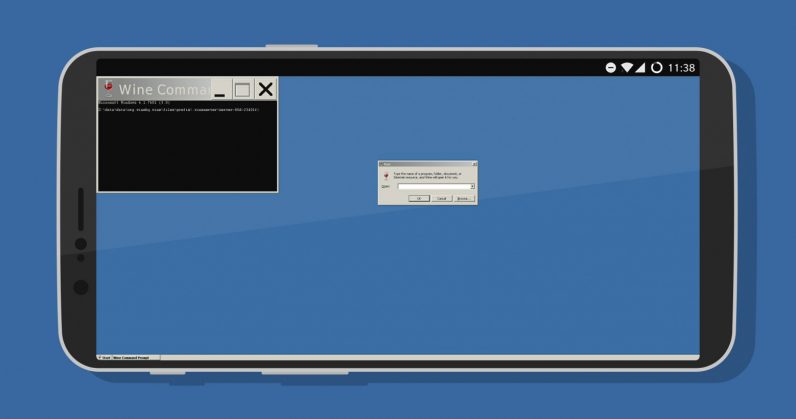
This App Lets You Run Windows Softwares On Android Device: Before we proceed, let’s be familiar with Wine. Wine is a free and open-source compatibility layer which is mostly used for running Windows software on Linux operating system. If you are a Linux user, then you might know about Wine.
How To Open Any Website From Almost Any Screen On Windows
From past few years, developers have been working hard to port Wine on an Android operating system. So, now the good thing is that Wine 3.0 has been released and it can be installed as an app on the Android operating system.
After installing Wine on Android platform, you can enjoy Windows software directly from your Android smartphones or tablets. The Wine app for Android offers a full-screen view of Windows, plus a Start Menu in the bottom corner.
However, this is the first version of Wine on Android platform, this might not work perfectly on all Android devices. According to the reports from Android Police, it worked on OnePlus 5T but crashed on the Samsung Galaxy Tab S and Pixel 2016.
Image Source: Thenextweb
You can’t take Wine 3.0 as an emulator, it’s just a layer of compatibility between Windows software and Unix system. This simply means that Wine for Android will run Windows programs on systems that use x86 architectures on their processor.
The project plans to expand Wine’s capabilities on Android in the future by using QEMU technology to emulate x86 processor instructions for the ARM, but the feature is not yet complete.
Top 8 Best Video Clip Converter For Windows
For those who want to try out the Wine 3.0 on Android, grab the Wine APK from here. What’s your opinion on this? Discuss with us in the comments.


You Might Also Like

Simple ways on how to sniff password using Wireshark


Wireshark is the world’s foremost network protocol analyzer. It lets you see what’s happening on your network at a microscopic level. It is the de facto (and often de jure) standard across many industries and educational institutions.
This tutorial can be an angel and also devil in the same time, it depends to you who use this tutorial for which purpose…me as a writer of this tutorial just hope that all of you can use it in the right way , because I believe that no one from you want your password sniffed by someone out there so don’t do that to others too.


Disclaimer – Our tutorials are designed to aid aspiring pen testers/security enthusiasts in learning new skills, we only recommend that you test this tutorial on a system that belongs to YOU. We do not accept responsibility for anyone who thinks it’s a good idea to try to use this to attempt to hack systems that do not belong to you
Requirements :
1. Wireshark Network Analyzer (wireshark.org)
2. Network Card (Wi-Fi Card, LAN Card, etc) fyi : for wi-fi it should support promiscious mode
Step 1: Start Wireshark and capture traffic
In Kali Linux you can start Wireshark by going to
Application > Kali Linux > Top 10 Security Tools > Wireshark
In Wireshark go to Capture > Interface and tick the interface that applies to you. In my case, I am using a Wireless USB card, so I’ve selected wlan0.
dz
Ideally you could just press Start button here and Wireshark will start capturing traffic. In case you missed this, you can always capture traffic by going back to Capture > Interface > Start
dz2
Step 2: Filter captured traffic for POST data
At this point Wireshark is listening to all network traffic and capturing them. I opened a browser and signed in a website using my username and password. When the authentication process was complete and I was logged in, I went back and stopped the capture in Wireshark.
when wee type in your username, password and press the Login button, it generates a a POST method (in short – you’re sending data to the remote server).
To filter all traffic and locate POST data, type in the following in the filter section
http.request.method == “POST”
See screenshot below. It is showing 1 POST event.
dz4
Step 3: Analyze POST data for username and password
Now right click on that line and select Follow TCP Steam
dz5
This will open a new Window that contains something like this:
dz6
So in this case,
username: sampleuser
password: e4b7c855be6e3d4307b8d6ba4cd4ab91
But hold on, e4b7c855be6e3d4307b8d6ba4cd4ab91 can’t be a real password. It must be a hash value.
to crack this password its simple just open new terminal window and type this :
dz8
and its looks like this:
  1. username: sampleuser
  2. password: e4b7c855be6e3d4307b8d6ba4cd4ab91:simplepassword

The Windows XP ATM Machine Can Be Hacked

ATM Machine : There are many people who are using  Microsoft  operating system Windows XP. The Operating System is also used in many pla...